
The Latest
Here are quick hits of the biggest news from the keynote as they are announced.

Apps
Google Play preps a new full-screen app discovery feature and adds more developer tools
14 mins ago
Google Play has a new discovery feature for apps, new ways to acquire users, updates to Play Points, and other enhancements to developer-facing tools.

AI
Gemini on Android becomes more capable and works with Gmail, Messages, YouTube and more
14 mins ago
Soon, Android users will be able to drag and drop AI-generated images directly into their Gmail, Google Messages and other apps.

Google’s gunning for OpenAI’s Sora with Veo, an AI model that can create 1080p video clips around a minute long given a text prompt. Unveiled on Tuesday at Google’s I/O 2024 developer…
In addition to the body of the emails themselves, the feature will also be able to analyze attachments, like PDFs.

The summaries are created based on Gemini’s analysis of insights from Google Maps’ community of more than 300 million contributors.

Google says that over 100,000 developers already tried the service.
The system effectively listens for “conversation patterns commonly associated with scams” in-real time.

AI
Google announces Gemma 2, a 27B-parameter version of its open model, launching in June
23 mins ago
The standard Gemma models were only available in 2 billion and 7 billion parameter versions, making this quite a step up.
This is a great example of a company using generative AI to open its software to more users.

Where we’ll be next
Oct 28th
TechCrunch Disrupt 2024
San Francisco, CA
Jun 11th
StrictlyVC – Washington, D.C.
Washington, D.C.
May 21st
StrictlyVC – London
London
AI
Google launches Firebase Genkit, a new open source framework for building AI-powered apps
24 mins ago
Firebase Genkit is an open source framework that enables developers to quickly build AI into new and existing applications.
This will enable developers to use the on-device model to power their own AI features.

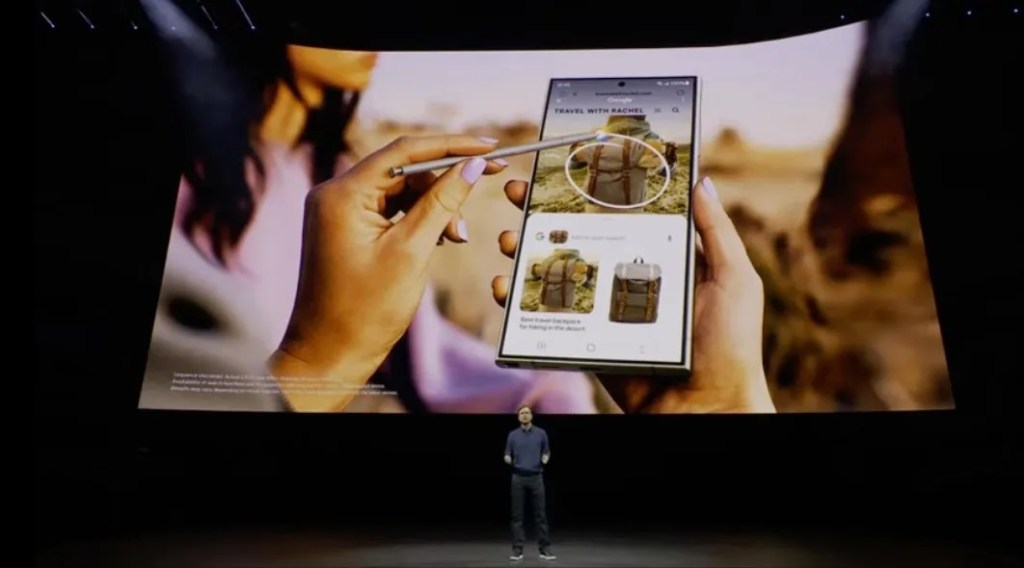
Google’s Circle to Search feature will now be able to solve more complex problems across psychics and math word problems.
People can now search using a video they upload combined with a text query to get an AI overview of the answers they need.

A search results page based on generative AI as its ranking mechanism will have wide-reaching consequences for online publishers.

Google has built a custom Gemini model for search to combine real-time information, Google’s ranking, long context and multimodal features.

At its Google I/O developer conference, Google on Tuesday announced the next generation of its Tensor Processing Units (TPU) AI chips.

AI
Google reveals plans for upgrading AI in the real world through Gemini Live at Google I/O 2024
32 mins ago
Google is upgrading Gemini, its AI-powered chatbot, with features aimed at making the experience more ambient and contextually useful.

Veo can generate few-seconds-long 1080p video clips given a text prompt.
At Google I/O, Google announced upgrades to Gemini 1.5 Pro, including a bigger context window. .
